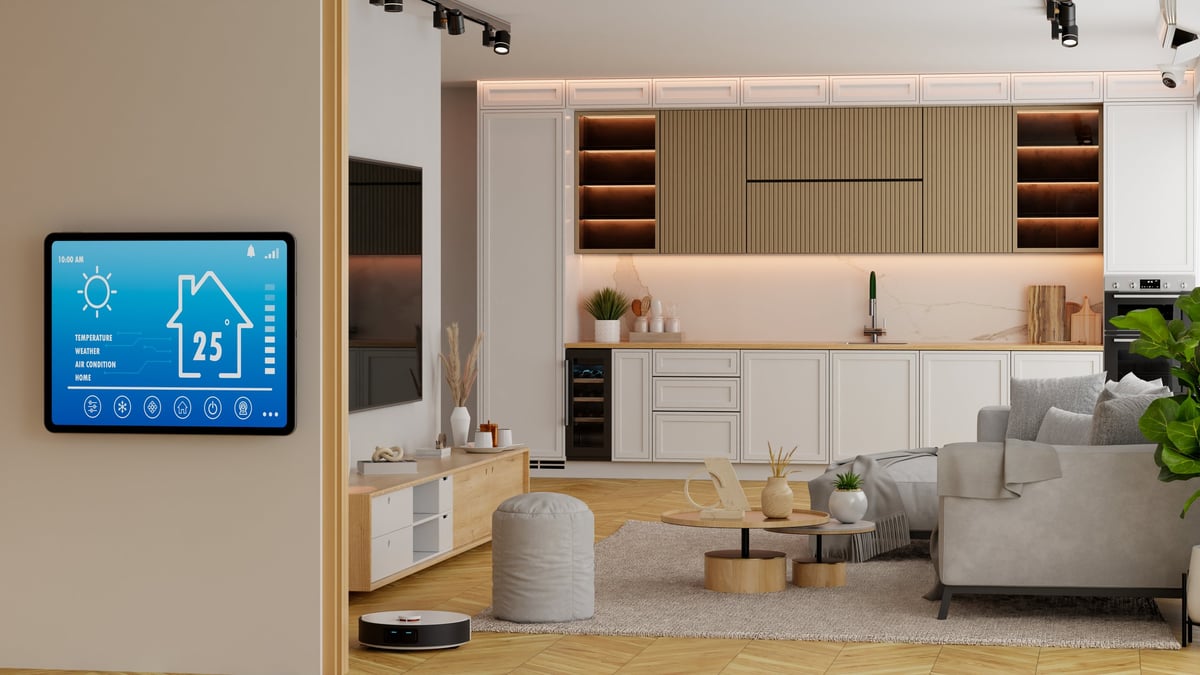
Renovating is the perfect time to wire your home for the future. Here are the smart upgrades that actually pay off — and the ones that aren't worth the hype — from a Magnolia TX contractor who's seen what works in real homes.
Quick Answer
The best smart home upgrades to add during a remodel are smart thermostats, whole-home Wi-Fi mesh systems, smart lighting with in-wall switches, wired security camera pre-wiring, and smart deadbolts. These five upgrades deliver the most daily value, are easiest to install when walls are open, and actually recoup their cost in energy savings and convenience. Skip the gimmicks — focus on infrastructure.
If you're already tearing out drywall, rewiring circuits, or reconfiguring rooms in your Magnolia or The Woodlands home, you've got a once-in-a-decade opportunity. Smart home technology has matured tremendously in the last few years — it's no longer about gimmicky gadgets that stop working after six months. Today's smart home systems are reliable, interoperable, and genuinely useful.
The problem most homeowners face isn't the technology — it's the wiring. Running Ethernet, installing in-wall smart switches, adding power to window locations for motorized shades, pre-wiring for security cameras — all of this is trivial when walls are open and a nightmare when they're not. Trying to retrofit these things into a finished home can easily double or triple the cost.
I've worked on remodels across Montgomery County — from older homes in Conroe that need complete electrical overhauls to newer builds in Woodforest where homeowners want to add tech that didn't exist when the house was built five years ago. The single piece of advice I give every client: "Run the wire now, even if you're not sure you'll use it. Wire is cheap. Opening walls later is not."
A smart thermostat is the single smart home device that pays for itself fastest — especially in Texas, where air conditioning runs 8+ months a year. Models like the Ecobee Premium and Nest Learning Thermostat (4th gen) learn your schedule, detect when nobody's home, and adjust temperatures automatically. Most homeowners in our area report saving 10–15% on cooling costs annually.
During a remodel, your contractor can ensure you have a C-wire (common wire) at the thermostat location. Many older homes in Magnolia and Tomball don't have one, and while some smart thermostats include power extender kits, a dedicated C-wire is always more reliable. If walls are open, it's a 10-minute job for your electrician.
Pro tip for Texas homes: Get a thermostat with remote room sensors. Many two-story homes in The Woodlands have a 5–8°F temperature difference between floors. A sensor in the hotter upstairs bedroom tells the system to keep cooling until that room is comfortable — game changer for August.
Every smart device in your home depends on Wi-Fi. If your network is spotty in the back bedroom or the garage, your smart locks, cameras, and voice assistants will be unreliable. A mesh Wi-Fi system with wired Ethernet backhaul — where each mesh node is connected by a physical cable rather than relying on wireless signals — is the gold standard.
During a remodel, running Cat6 or Cat6a Ethernet cable from a central location (where your modem lives) to ceiling-mounted access points throughout the house is straightforward and relatively cheap: roughly $150–$300 per drop when walls are open, versus $500–$1,000+ per drop for retrofitting. You'll also want Ethernet runs to any location where you'll have a TV, gaming console, or home office — wired connections are always faster and more stable than Wi-Fi.
Smart bulbs are fine for lamps. But for ceiling lights, recessed lighting, and outdoor fixtures, in-wall smart switches are the superior solution. They work exactly like normal light switches — anyone can walk up and use them — but they also connect to your smart home system for scheduling, scenes, and voice control. The switch controls the circuit, so even if someone flips it off physically, you can still turn it back on via the app.
The catch: most smart switches require a neutral wire in the switch box. Many homes built before the 1990s in older parts of Magnolia and Conroe don't have neutrals at the switch. During a remodel, your electrician can add neutral wires to every switch box while the walls are open. This one change unlocks a whole world of smart lighting options.
Pro tip: During the remodel, have your electrician install deeper switch boxes (at least 2.5" deep). Smart switches are bulkier than standard ones, and cramming them into a shallow box is a fire hazard. The extra 50 cents per box is well worth it.
Even if you're not ready to install security cameras today, running the wiring during a remodel will save you thousands later. PoE (Power over Ethernet) cameras are far superior to wireless battery cameras — they provide continuous recording, don't need battery changes, and aren't vulnerable to Wi-Fi jamming. But they need Cat6 cable run to each camera location.
During a remodel, your contractor can run Cat6 from a central location (like a closet or garage where your network equipment lives) to the soffits, eaves, doorbell location, and any other spots you might want a camera. The cable itself costs pennies per foot — it's the labor of fishing wire through finished walls that gets expensive.
A smart deadbolt lets you lock and unlock your door from your phone, create temporary codes for contractors or guests, and check whether you remembered to lock up when you're already at work. Combined with a video doorbell, you can see who's at the door and let them in — or tell them to leave the package — without being home.
The remodel angle here is about door prep. If you're replacing doors during your renovation, make sure the new door is pre-drilled for a standard deadbolt and that the doorframe is reinforced with long screws (3–4") into the stud — not just the short screws that come with most locks. Smart locks are heavier and put more strain on the strike plate.
Motorized shades are life-changing in Texas — especially on west-facing windows that get blasted by afternoon sun. You can program them to lower automatically at 3 PM in summer, keeping your home cooler and protecting your furniture from UV damage without lifting a finger. The problem: motorized shades need power at the window, and most windows don't have an outlet nearby.
During a remodel, your electrician can run low-voltage wiring (or even a standard outlet) to the top corner of each window you might want motorized shades on. Even if you don't install the shades for another five years, the wire is there waiting. Battery-powered shades exist, but they need recharging every 3–6 months — and nobody actually does it.
These aren't flashy, but they're the smart home upgrades that could literally save your life — or at least save you from a five-figure water damage claim. Smart smoke and carbon monoxide detectors send alerts to your phone when they go off, tell you which room detected the problem, and can be silenced from your phone instead of waving a towel at the ceiling.
Water leak sensors placed under sinks, behind the washing machine, near the water heater, and under dishwasher connections can catch a slow leak before it becomes a disaster. During a kitchen or bathroom remodel, it's trivial to place puck-sized sensors in cabinets during the final plumbing hookup.
Smart refrigerators with screens, Wi-Fi-enabled ovens, and app-controlled dishwashers sound futuristic — but they're not there yet. The software support is weak, security updates are rare, and you'll likely replace the appliance long before the "smart" features prove their worth. A refrigerator should last 15 years; a tablet stuck to the front of it will feel obsolete in 3.
Instead, invest in the infrastructure that makes your kitchen ready for smart appliances later: dedicated 20A circuits for major appliances, outlets inside cabinets for under-cabinet lighting, and a conduit running from your network closet to the kitchen island. The appliances themselves can be smart when the technology catches up.
Before you start buying smart devices, pick an ecosystem. Mixing and matching across ecosystems creates frustration — your lights won't talk to your locks, and you'll end up with five apps on your phone. Here's how the three main platforms compare:
| Platform | Best For | Hub Required? | Key Limitation |
|---|---|---|---|
| Apple HomeKit | iPhone users who want the best privacy and the cleanest interface | HomePod or Apple TV for remote access | Fewer compatible devices than Alexa/Google |
| Amazon Alexa | Widest device compatibility, best for voice control in multiple rooms | No (but Echo devices help) | Privacy concerns; Amazon's data collection is aggressive |
| Google Home | Best AI/voice assistant, excellent Nest integration | No (but Nest Hub helps) | Fewer third-party integrations than Alexa |
Our recommendation: For most Magnolia homeowners, we suggest Apple HomeKit if you're in the Apple ecosystem, or Amazon Alexa if you want maximum device compatibility on a budget. The key is to pick one and stick with it. Look for devices that support Matter — the new industry standard that lets devices work across all three platforms. Most new smart home products released in 2026 support Matter, which future-proofs your purchases.
| Upgrade | Hardware Cost | Installation (During Remodel) | Total |
|---|---|---|---|
| Smart Thermostat | $80–$280 | $50–$150 (C-wire run) | $130–$430 |
| Wi-Fi Mesh + Ethernet | $300–$600 | $150–$300 per drop (3–5 drops) | $750–$2,100 |
| Smart Switches (10 switches) | $200–$600 | $0–$200 (neutral wire runs) | $200–$800 |
| Camera Pre-Wire (6 locations) | $50–$100 (Cat6 cable) | $900–$1,800 (during remodel) | $950–$1,900 |
| Smart Deadbolt + Doorbell | $410–$550 | $50–$150 | $460–$700 |
| Shade Pre-Wire (5 windows) | $25–$50 (wire) | $500–$1,000 (during remodel) | $525–$1,050 |
| Smart Detectors + Leak Sensors | $200–$500 | $0 (DIY placement) | $200–$500 |
Prices reflect 2026 contractor rates in Montgomery County and Greater Houston. Hardware costs are retail; contractor pricing may be lower. Installation costs assume walls are open during a remodel.
Total Estimated Budget
$3,200 – $7,500 for a complete smart home infrastructure package during a remodel. That covers all hardware plus installation labor when walls are open. The same upgrades retrofitted into a finished home would cost $6,000 – $14,000+. The remodel savings are real — especially on wiring labor.
A single router from your internet provider wasn't designed to handle 30+ smart devices. If your Wi-Fi is already struggling, adding smart switches, cameras, and speakers will make everything worse. Upgrade your network infrastructure first — mesh system with Ethernet backhaul — before adding a single smart device.
Wi-Fi is convenient, but it's not the most reliable protocol for smart home devices. Z-Wave and Zigbee devices form their own mesh network separate from your Wi-Fi, and they don't clog up your internet bandwidth. Lutron's Clear Connect is even better — it uses a dedicated frequency that doesn't interfere with anything. The best smart homes use a mix: Wi-Fi for high-bandwidth devices (cameras, voice assistants), Z-Wave/Zigbee/Clear Connect for everything else.
All those Ethernet cables need to terminate somewhere. During a remodel, designate a well-ventilated closet, garage corner, or utility room as your "network hub." It needs power (at least two outlets), a shelf for your modem/router/switch, and ideally a small exhaust fan if it's a closet. A 12" × 16" structured wiring panel mounted between studs is a clean solution that costs under $100.
Your Wi-Fi needs to reach the back patio, the garage, and maybe even the driveway. If you're adding a covered patio or outdoor kitchen during your remodel, have your contractor run an Ethernet drop to the exterior wall for a weatherproof access point. Outdoor smart devices like floodlight cameras, pool controllers, and landscape lighting hubs all need a solid connection.
The best smart home is one that works for everyone in the house — not just the person who set it up. Motion-sensor lights that turn off while someone's sitting still in a room, voice commands that only work with one person's accent, and morning routines that blast the bedroom lights at 6 AM on a Saturday are the fastest way to get your family to hate the smart home. Every automated action should have an easy manual override, and complex automations should be opt-in, not forced on the whole household.
The through-line of this entire guide is simple: spend your remodel budget on infrastructure, not on gadgets. Smart home gadgets will get cheaper and better every year. The Ethernet in your walls, the neutral wires in your switch boxes, the conduit to your windows — those are investments that last the life of the house.
When we work on remodels in Magnolia, Tomball, Conroe, and The Woodlands, we always ask homeowners the same question: "What do you want this house to be able to do in 10 years?" Even if you don't think you'll ever want smart shades or security cameras or a home automation system, running the wire now costs almost nothing. And when you change your mind five years from now — most people do — you'll be glad it's already there.
If you're planning a remodel and want to make sure your home is ready for whatever technology comes next, let's talk. We'll walk through your project and identify every opportunity to future-proof your home while the walls are open.
Planning a remodel in Magnolia, The Woodlands, Tomball, or anywhere in Montgomery County? Let's make sure your home is ready for the next decade of technology. We'll walk your project with you and identify every opportunity to wire for the future — while the walls are open and the cost is lowest.
Licensed & Insured • Serving Greater North Houston • Family-Owned